
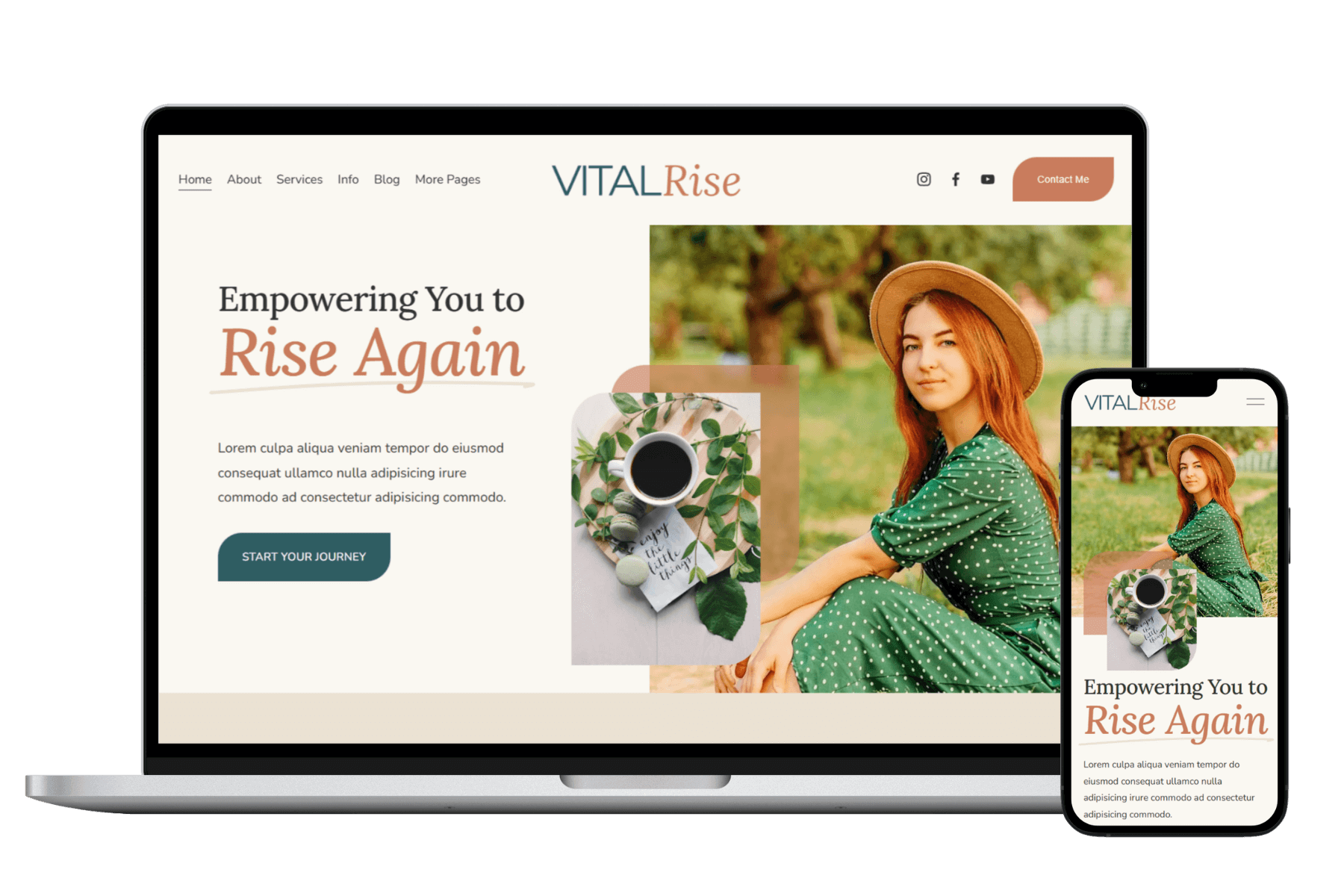
Vital Rise
$297.00
The Vital Rise 7.1 Squarespace template is designed to help health and wellness entrepreneurs, health coaches, and other service-based professionals build a strategic website that feels aligned, authentic, and professional. Crafted to help you attract clients, share your story, and grow your business with ease, this template combines elegant design with a strategic layout.
There are seven fully-designed pages included in the template: Home, About, Services, Info (sales page), Blog, Thank You page, and Contact. We have also included page layouts for Terms and Conditions, a Privacy Policy, and a custom 404 page.
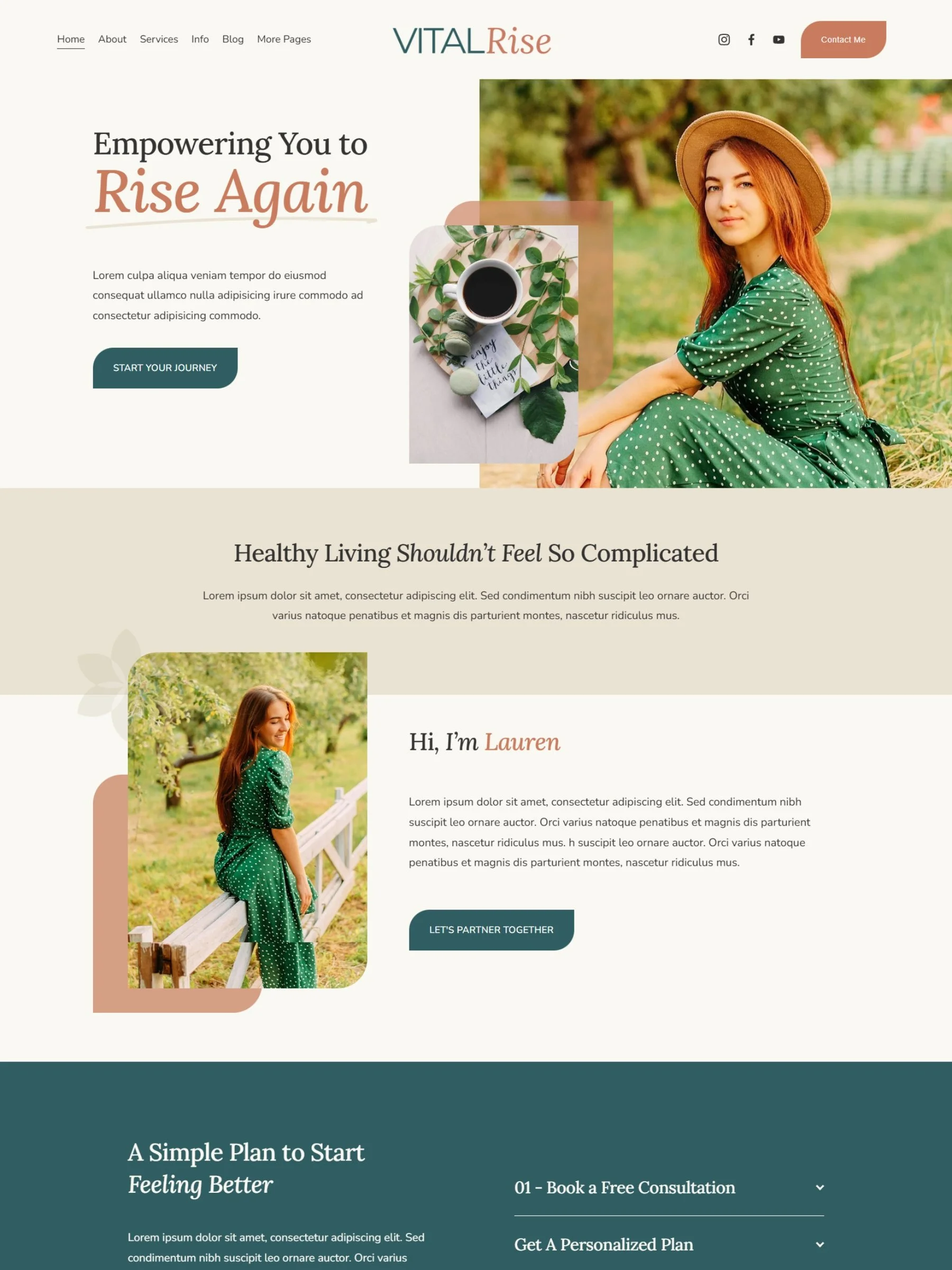
Rise above the noise with the Vital Rise Squarespace Template — a bold, strategic website design built for small businesses ready to look professional and grow with confidence. Perfect for service-based entrepreneurs, coaches, nutritionists and other wellness professionals who need a strong online presence without the overwhelm of custom design or coding.
This all-in-one Squarespace template includes everything you need to launch fast including:
8 pre-designed pages, plus a Terms & Conditions and a Privacy Policy page
Mobile-responsive layouts,
Built-in marketing strategy designed to convert visitors into clients
With a clean yet elevated aesthetic, Vital Rise helps you tell your story, showcase your offers, and stand out online.
No tech skills? No problem. Every template purchase includes access to a step-by-step launch guide and video training inside your private member area, so you can easily customize your site and make it truly yours.
Imagine sending someone to your website and feeling proud, because it finally looks as powerful as your business truly is.
SHOWCASE YOUR BRAND
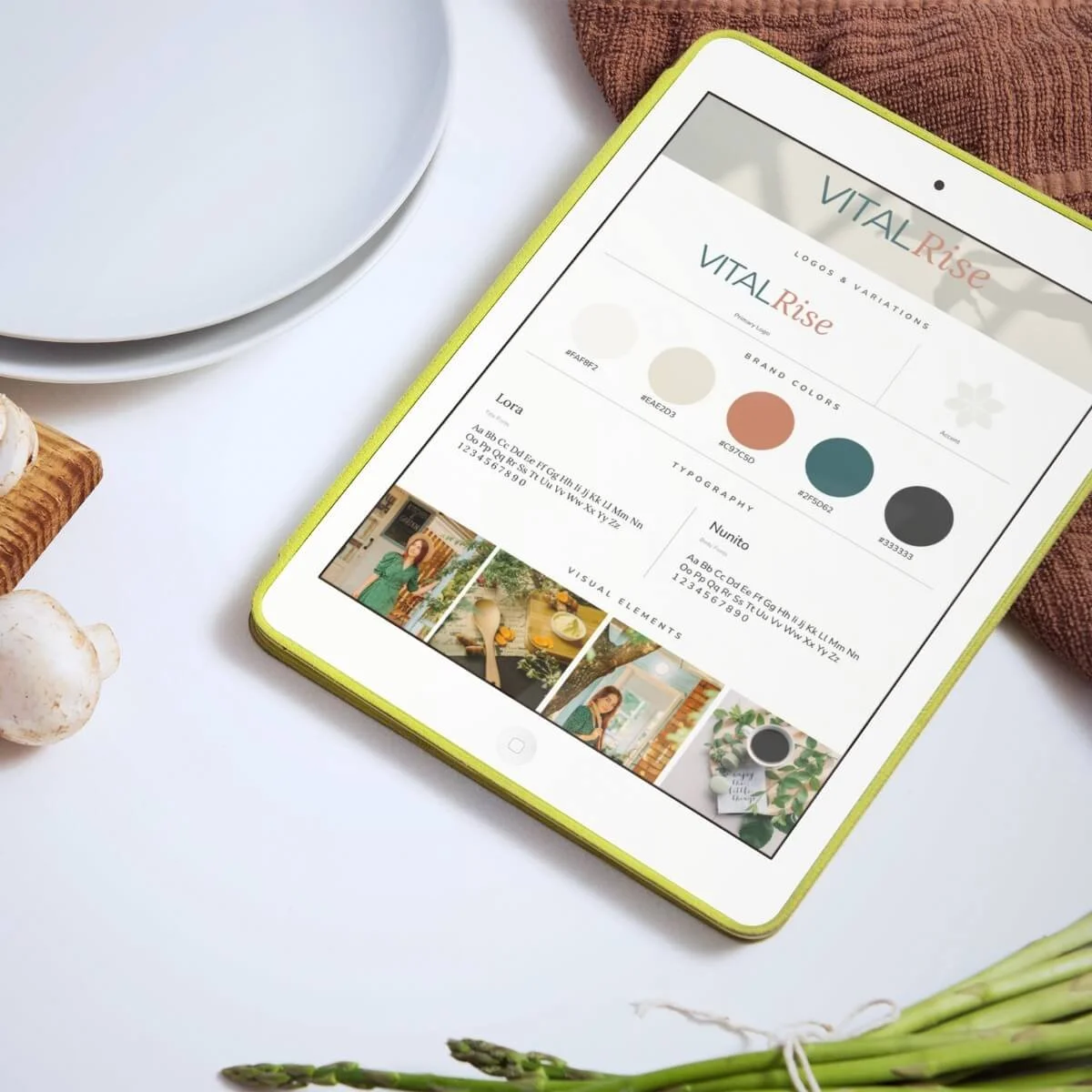
Completely customize the template with your own brand colors, fonts, and photos.
MARKETING-READY DESIGN
Built-in layouts and calls-to-action to grow your business effectively.
STRESS-FREE SETUP
Step-by-step guides help you go live quickly, without tech headaches.
Explore the Pages
In addition to the professionally designed pages outlined below, this template also includes five additional sample single blog post pages, a terms and conditions page, privacy policy page, and a custom 404 page. View the full template demo site to see all the page layouts that are included.
-
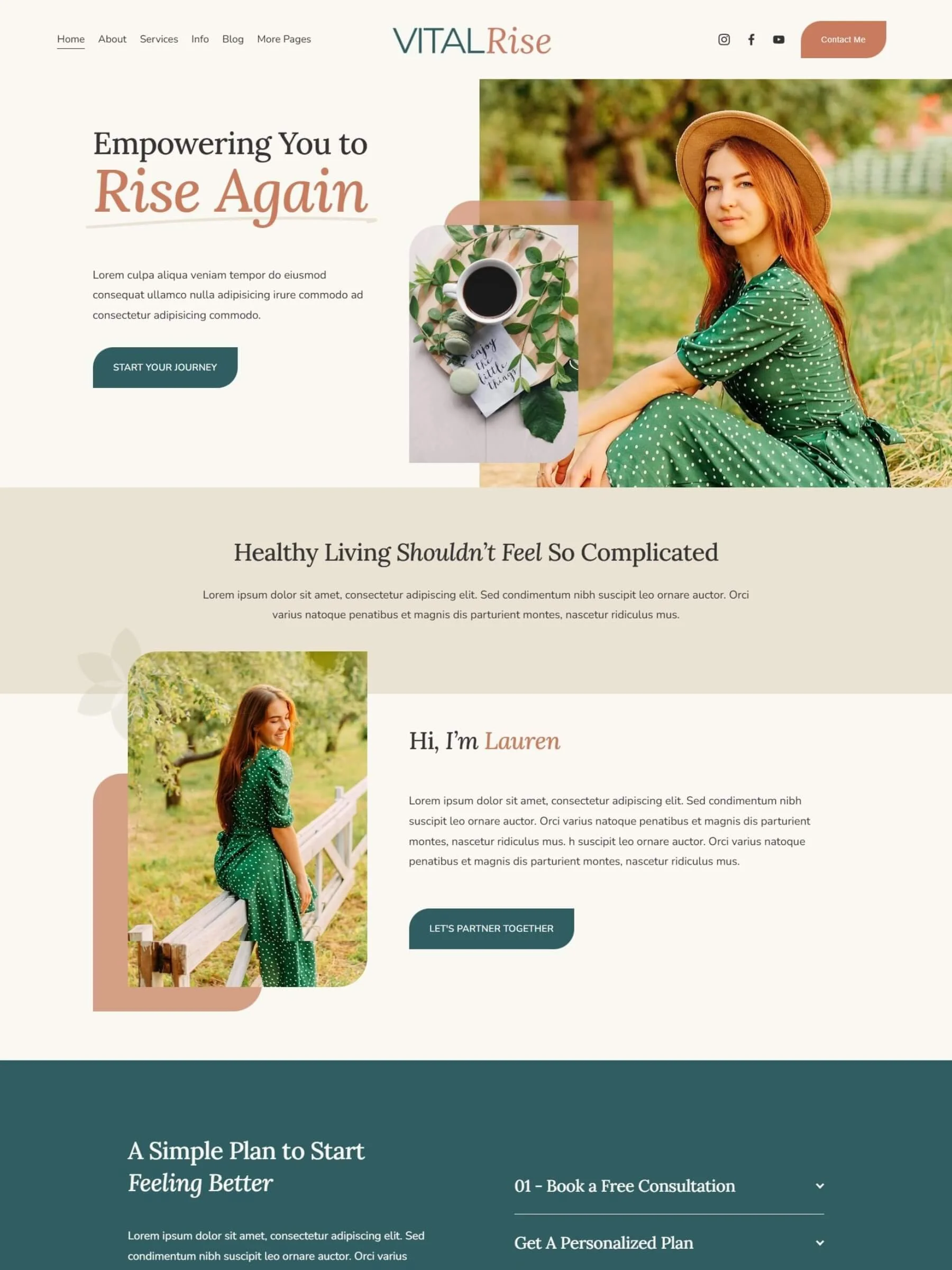
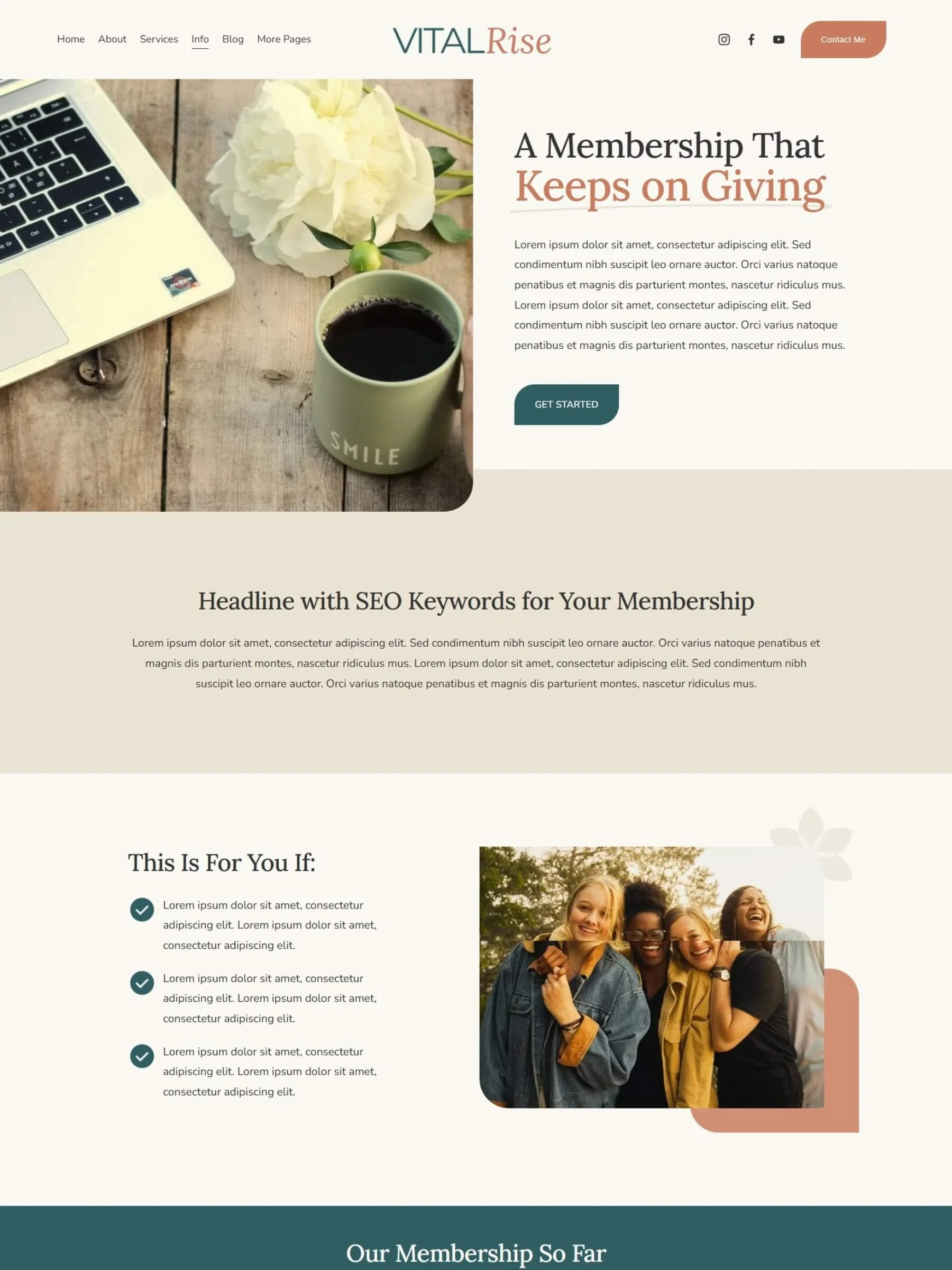
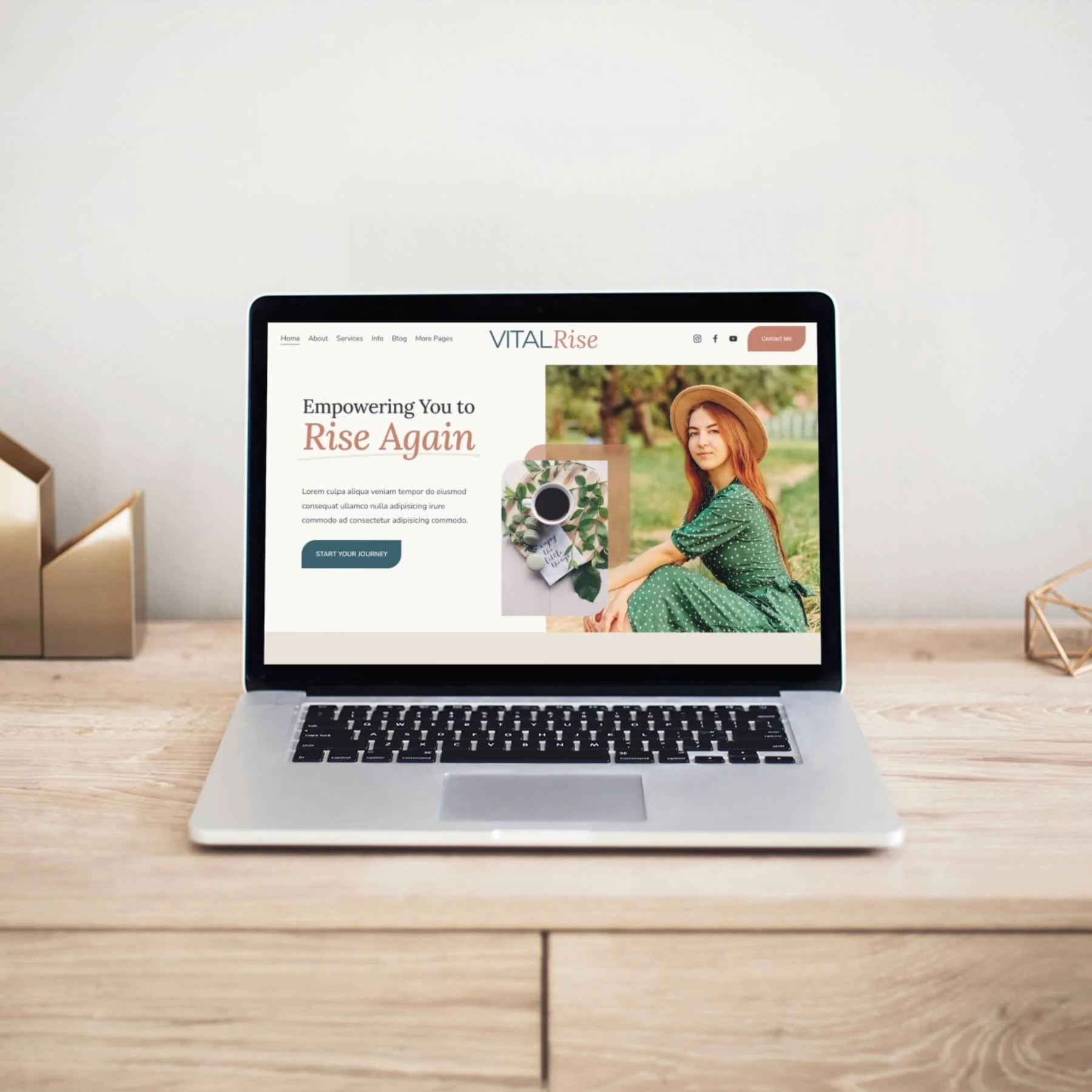
![Screenshot of the home page inside the Vital Rise Template]()
Home Page
-
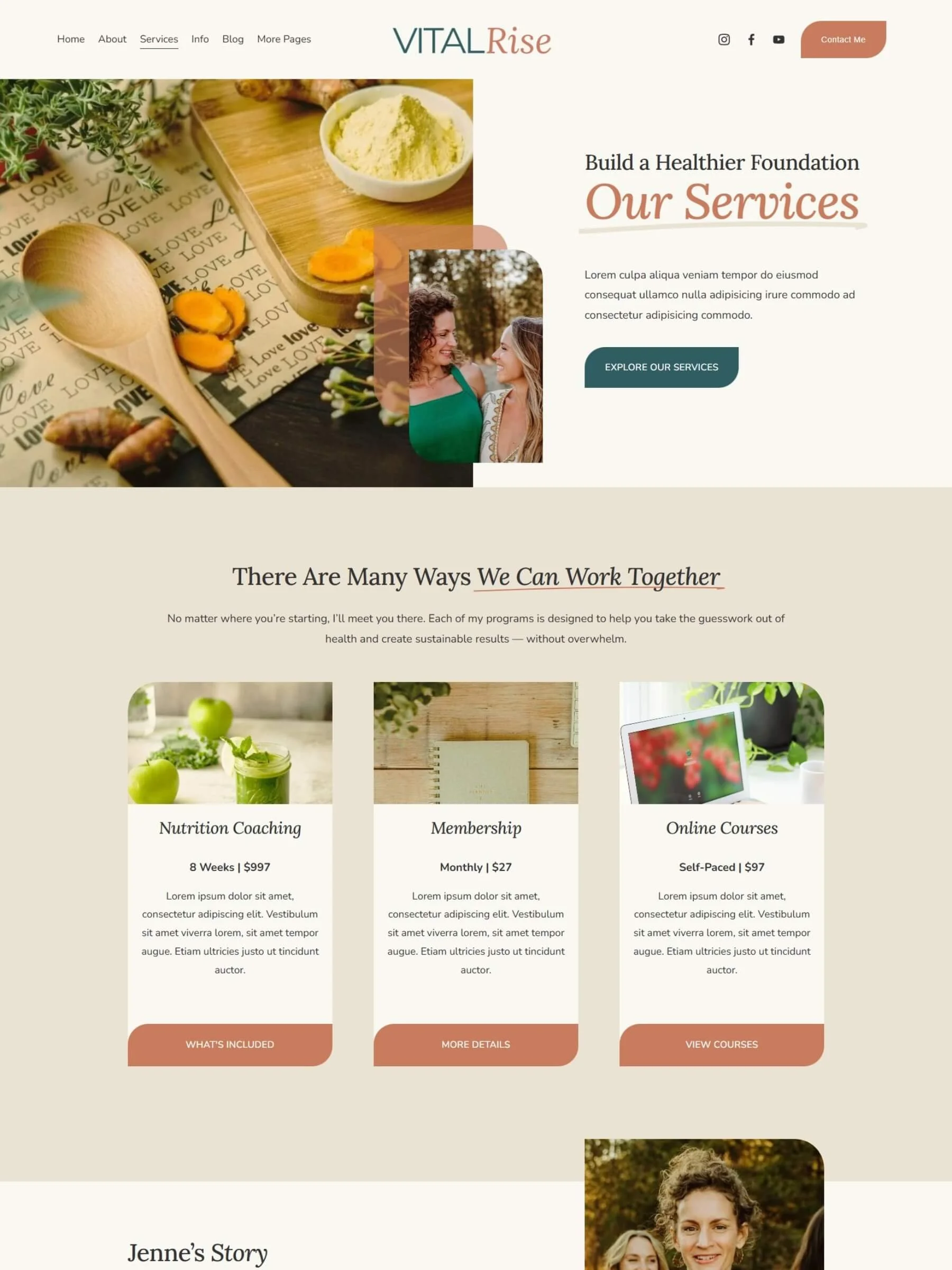
![Screenshot of the services page inside the Vital Rise Template]()
Services Page
-
![Screenshot of the information/sales page inside the Vital Rise Template]()
Info (Sales) Page
-
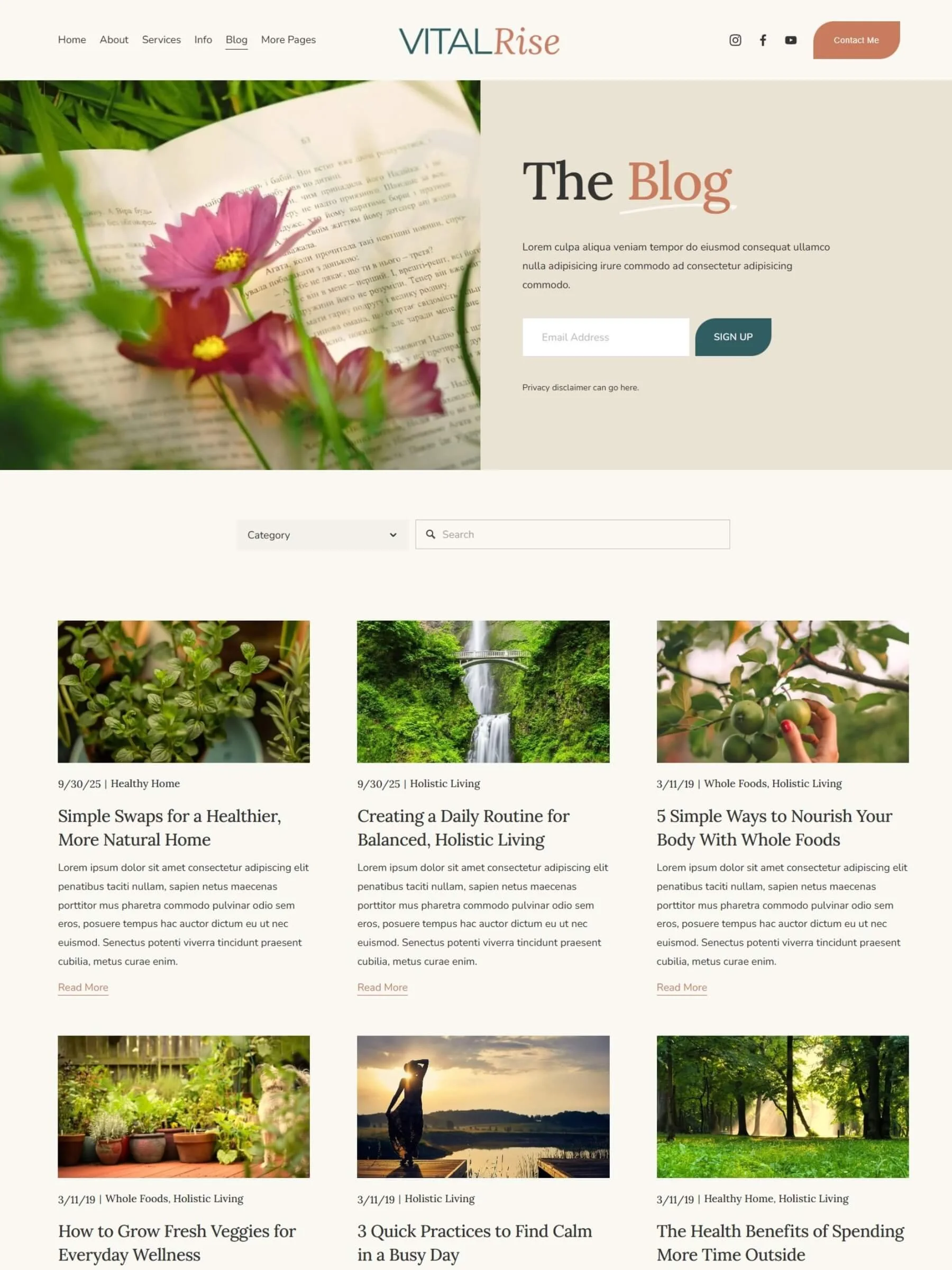
![Screenshot of the blog home page inside the Thrive Plate Template]()
Blog Home Page
-
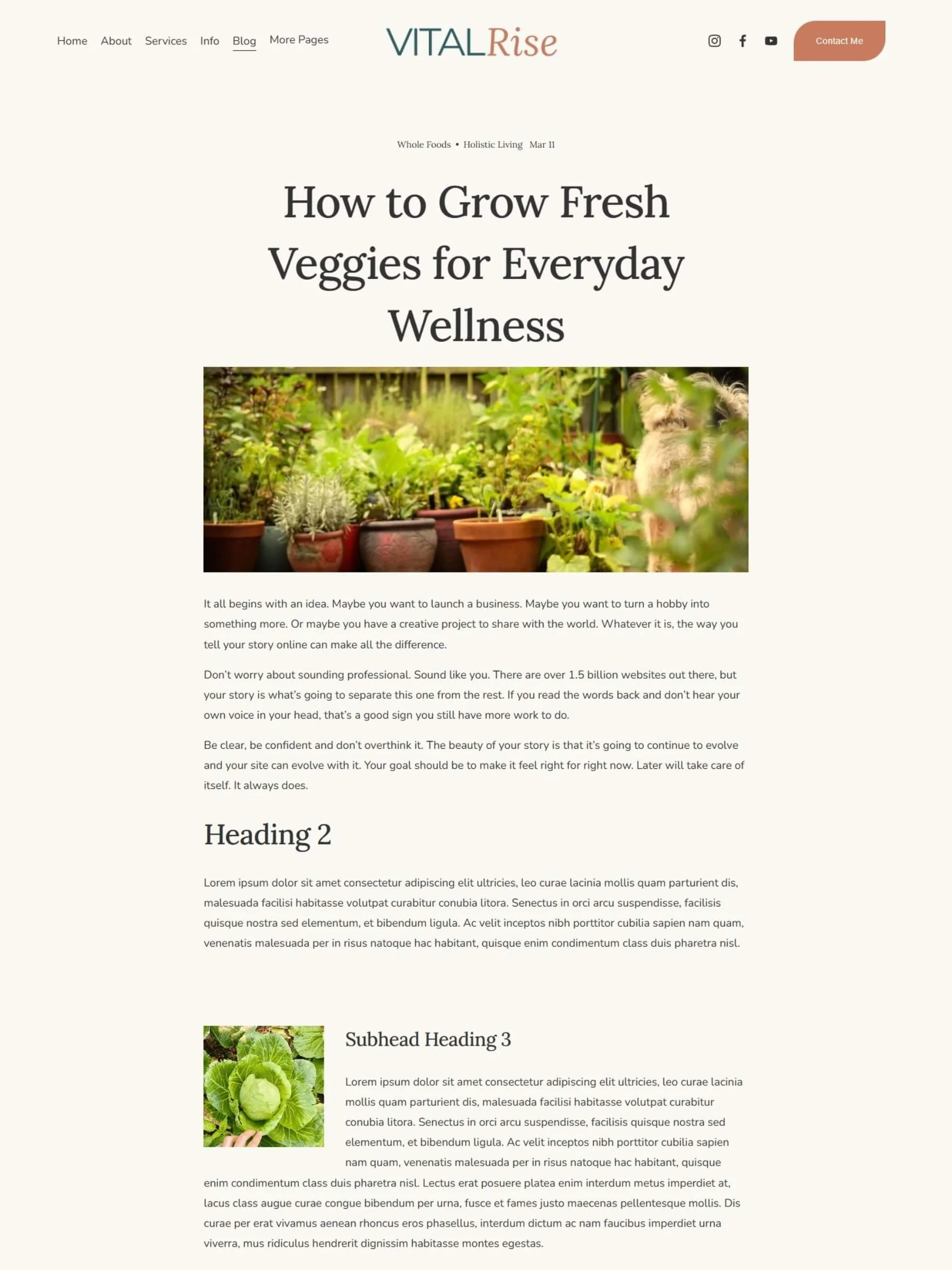
![Screenshot of a blog post page inside the Vital Rise Template]()
Single Blog Post Page
-
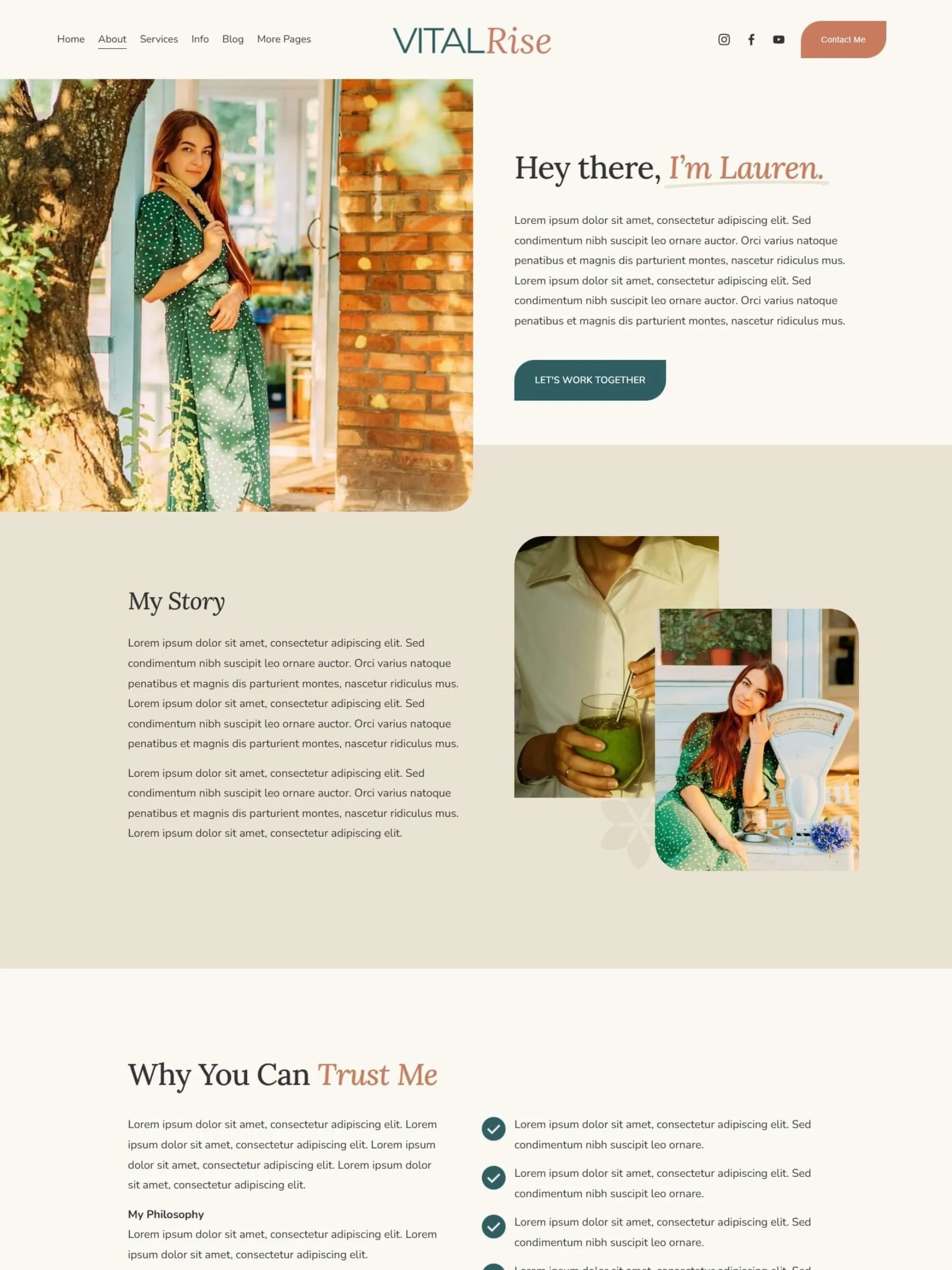
![Screenshot of the about page inside the Vital Rise Template]()
About Page
-
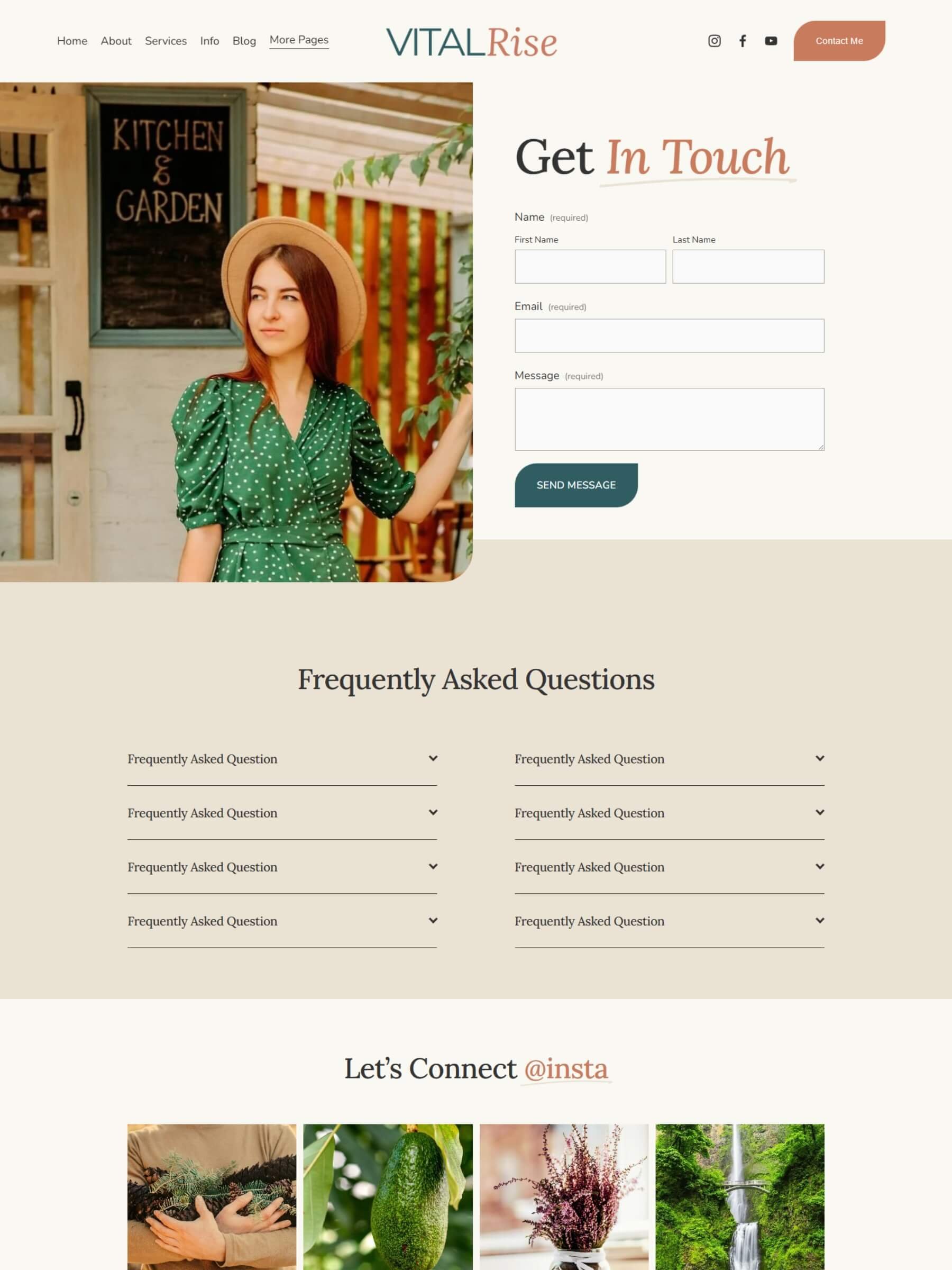
![Screenshot of the contact page inside the Vital Rise Template]()
Contact Page
-
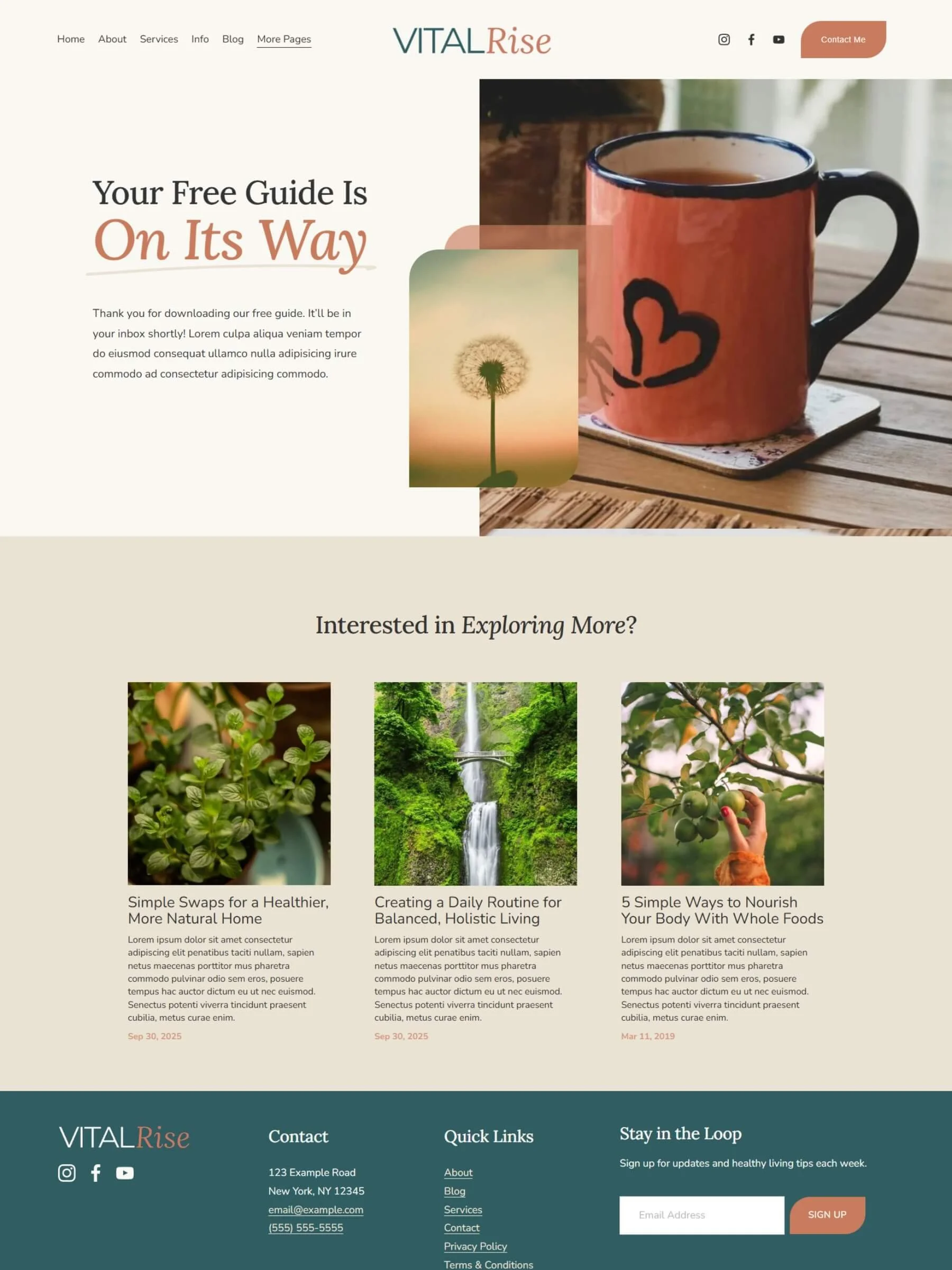
![Screenshot of the thank you page inside the Vital Rise Template]()
Thank You Page
Included in Every Template
100% CUSTOMIZABLE
Edit every section with Squarespace’s drag-and-drop editor, no coding needed. Swap text, images, and colors instantly until it feels like you.

DESKTOP & MOBILE READY
Your site looks great on every screen. Squarespace automatically optimizes your design, and you can tweak mobile layouts anytime.

RESOURCE LIBRARY
Get step-by-step video and written tutorials to guide you through customizing, optimizing, and launching your site, stress-free.

EXTENDED FREE TRIAL
Get a 3-month Squarespace trial — triple the usual time — so you can customize, refine, and prep your site before launch.

10% SQUARESPACE DISCOUNT
When you’re ready to go live, enjoy 10% off your first year of any paid Squarespace plan — a little savings to help you start strong.

LAUNCH & SEO CHECKLIST
Follow our step-by-step checklist to ensure your site is optimized, polished, and ready to shine when you hit publish.

CONTENT PLANNING WORKBOOK
Plan every section of your site with our guided workbook, complete with prompts to help you write confidently in your brand voice.

EMAIL SUPPORT
Build it yourself, but never by yourself! Reach out anytime for friendly email support to keep your project moving forward.

ONGOING TRAINING & EDUCATION
Access future marketing trainings designed for small business owners, with strategies that work seamlessly with Squarespace. Coming soon😊

Rise above the noise with the Vital Rise Squarespace Template — a bold, strategic website design built for small businesses ready to look professional and grow with confidence. Perfect for service-based entrepreneurs, coaches, nutritionists and other wellness professionals who need a strong online presence without the overwhelm of custom design or coding.
This all-in-one Squarespace template includes everything you need to launch fast including:
8 pre-designed pages, plus a Terms & Conditions and a Privacy Policy page
Mobile-responsive layouts,
Built-in marketing strategy designed to convert visitors into clients
With a clean yet elevated aesthetic, Vital Rise helps you tell your story, showcase your offers, and stand out online.
No tech skills? No problem. Every template purchase includes access to a step-by-step launch guide and video training inside your private member area, so you can easily customize your site and make it truly yours.
How it Works
1. Purchase Your Template & Start Prepping
You’ll get immediate access to the setup guide and prep resources to get started on your content right away.
2. Accept Your Site Transfer
I’ll send your Squarespace template transfer email within 48 business hours of purchase.
3. Customize & Launch
Use the video tutorials and guides to make it your own. Then use our launch and SEO checklist to go live!
4. Learn & Grow
After you go live, monitor your website analytics, nurture incoming leads and contacts, and expand using built-in marketing tools to grow your business even further.
Rise above the noise with the Vital Rise Squarespace Template — a bold, strategic website design built for small businesses ready to look professional and grow with confidence. Perfect for service-based entrepreneurs, coaches, nutritionists and other wellness professionals who need a strong online presence without the overwhelm of custom design or coding.
This all-in-one Squarespace template includes everything you need to launch fast including:
8 pre-designed pages, plus a Terms & Conditions and a Privacy Policy page
Mobile-responsive layouts,
Built-in marketing strategy designed to convert visitors into clients
With a clean yet elevated aesthetic, Vital Rise helps you tell your story, showcase your offers, and stand out online.
No tech skills? No problem. Every template purchase includes access to a step-by-step launch guide and video training inside your private member area, so you can easily customize your site and make it truly yours.
Need Help Customizing Your Template?
Not ready or don’t have the time to DIY your template on your own? Skip the tech stress and let us style it with your brand colors, fonts, logo and images. Then all you have to do is input your copy/content!
Or, go all-in with a full Done-for-You website design, where we style it, input your copy, and set up your pages for you. Either way, your Squarespace website will look polished, professional, and ready to attract clients.
Frequently Asked Questions
-
Our Squarespace 7.1 website templates are perfect for small business owners, solopreneurs, and service providers who don’t have an in-house marketing or web team. but still want a professional, polished website. They’re intentionally designed to be easy to customize: no custom code and minimal extra graphics to tweak (using Canva to update). Just update your colors, fonts, images, and content — and your site is ready to launch!
-
There are 7 professionally designed pages included in the template: Home, About, Services, Info (sales page), Blog, Thank You page, and Contact.
We have also included the page layouts for a Terms and Conditions, Privacy Policy, and custom 404 page. For the Terms and Conditions and Privacy Policy pages, you must input your own text, as we do not write these on your behalf. The custom 404 page strategically redirects visitors back to a working area of your site, rather than leaving them at a dead end.
To provide some creative inspiration for your blog, we also included six different single blog post page layouts.
-
Even though I have over 15+ years designing in Wordpress, I believe that Squarespace is the easiest, most robust platform for small businesses to use to really optimize their marketing strategy. With Squarespace, you can literally manage and build everything in one platform, including: domains, hosting, website, ecommerce, email campaigns, memberships, online courses, payments, invoicing, scheduling, and more…all working together seamlessly.
With WordPress it’s so easy to get bogged down by plugins, updates, technical headaches, extra costs for third-party integration tools, extra subscriptions for add-on services, and so much more. Most small businesses don’t have the time or resourcesto manage all the “extras” that come along with a WordPress website.
-
After you purchase a website template, you will receive an email confirmation (almost immediately or within minutes) that will provide details about what to do next, including information on how to access the template resource library. This library includes a variety of guides and tutorials to help you prepare your content for your new template, and begin learning how to update your template.
While you’re prepping your content, I will be working behind the scenes to send you a Squarespace contributor invite or instructions on how to add me as a contributor to your existing site, depending upon the delivery method you’ve chosen.
If you chose to install your template as a New Site, you’ll receive an email with a link to to access your brand new Squarespace template.
If you chose to have the pages loaded into an existing Squarespace account, you will receive an email containing instructions on next steps. You will have to invite me as a contributor to your existing Squarespace account, after which I can add the template pages into the “Not Linked” section of your existing Squarespace 7.1 site. This does not include any customization, so you will still need to add all of your content, including copy and images, into the new template pages.
Have questions? Contact us anytime and we’ll be happy to assist!
-
After your purchase, you’ll receive an email within 48 business hours containing a Squarespace invitation link. Simply accept the invitation, log in to your Squarespace account (or create a new free Squarespace account), and the template will be ready in your Squarespace dashboard.
-
Yes, you will need a Squarespace account if you don’t already have one. If you don’t already have a Squarespace account, you’ll be prompted to create one when you receive the template email invitation from us.
-
Yes! You must purchase a Squarespace subscription in order to launch your website and make it live. You can view the Squarespace subscriptions here.
I recommend purchasing the Squarespace plan AFTER you receive the new template from me, because I can pass along a 10% discount and an extended 3-month trial, giving you a lot of time to input your content and make your style updates.
When you purchase a template, that price includes the use and design of the website template only. It does not include the cost of a Squarespace plan to host and launch your site.
Tips:
When deciding which Squarespace subscription to purchase, consider all of your site needs including ecommerce and the associated transaction fees at each subscription level, whether you will need a membership portal, or plan to sell digital content.
Some Squarespace subscriptions also include a free professional email (for the first year) from Google Workspace, which is another consideration if you’re just starting out!
You will be able to take advantage of tremendous savings by choosing an annual website plan, rather than paying monthly.
-
Yes. You can connect your existing domain or purchase a new one through Squarespace when you’re ready to launch. We do not provide domain support. If you need help connecting a domain or purchasing one through Squarespace we recommend checking out their domain help.
-
Yes! All templates are fully editable. You can update colors, fonts, images, and page layouts using Squarespace’s editor. If you want a little extra help, our Template Brand Styling or Brand Reboot services can get you started faster.
-
Unfortunately, the templates do not include copy or copywriting. We do provide a content planner (which includes AI prompts if you need a nudge) to help you write copy for your new template.
-
No! That’s the beauty of Squarespace and our simple, easy-to-use templates. We do not require you to know custom code or CSS to build your website. Of course if you like code or write custom CSS, please feel free to do so and make your site shine!
There may be a few templates that include a tiny amount of CSS in order to make something look or function better. If that’s the case, this will be clearly included in your template resources with instructions on how to find it and modify it if you want.
-
The blog section can easily be hidden on any of our templates. Instructions for doing so are included in the Template Resource Library. However, we strongly encourage you to consider using the blog if you’re not already, as it can be a tremendous marketing tool!
-
Yes! Squarespace offers ecommerce options that can be added to any Squarespace website. You can sell digital products, memberships, gated content, services, subscriptions and more using their ecommerce options.
Squarespace subscriptions have different transaction fees associated with them, therefore it’s important to review your plan and the associated fees.
-
Yes, every template has been optimized for viewing on desktop/laptops and mobile phones.
You have complete control over the design of both views from within your Squarespace account. We have a view in the Template Resource Library that shows you exactly how to access this.
-
If you’re unfamiliar with SEO, it stands for Search Engine Optimization, which essentially helps search engines like Google and Bing to better understand your website and rank you in their search results.
Our templates have been designed to follow SEO best practices and terms of page layouts and page structures.
There are some steps that you must take after we deliver to the template, to ensure your site is fully SEO optimized, as Squarespace doesn’t transfer all SEO fields inside the interface (like ALT text
You will get access to our SEO checklist and launch guide to make sure that all the essential SEO items are in place before you go live.
-
Yes! Squarespace allows you to add, delete, or rearrange pages to suit your business needs. Once you have the template inside your account, you can make any changes you want to your website. We do recommend making a backup copy of your website before making any major changes in case you need something to look back to.
-
Yes. You’ll have access to our Template Resource Library which includes step-by-step guides, and email support post-purchase.
-
Yes, all templates are built specifically for Squarespace 7.1, with full support for blocks, sections, and the built-in marketing tools. I do not have any templates in the shop that are built for Squarespace 7.0.
-
Due to the digital nature of our products, our website templates are non-refundable and cannot be returned. Please take the time to review all of the details and the demo, prior to purchasing a template. If you have any questions prior to making a purchase, I’m more than happy to help, just contact me!
-
Each template purchase is for use on one Squarespace site only. Redistribution, resale, or use by web-designers for more than one client is strictly prohibited. Looking for a multi-license template that you can use in your design business? Contact me and let’s put our heads together to see how we can work together!
Still have questions or not sure where to start?
If you still have questions after going through all of our FAQs and viewing our demos, or are just not sure where to start based on your project needs, reach out to me, I’m happy to help!